


-
Kontakt
info@szalh.sk

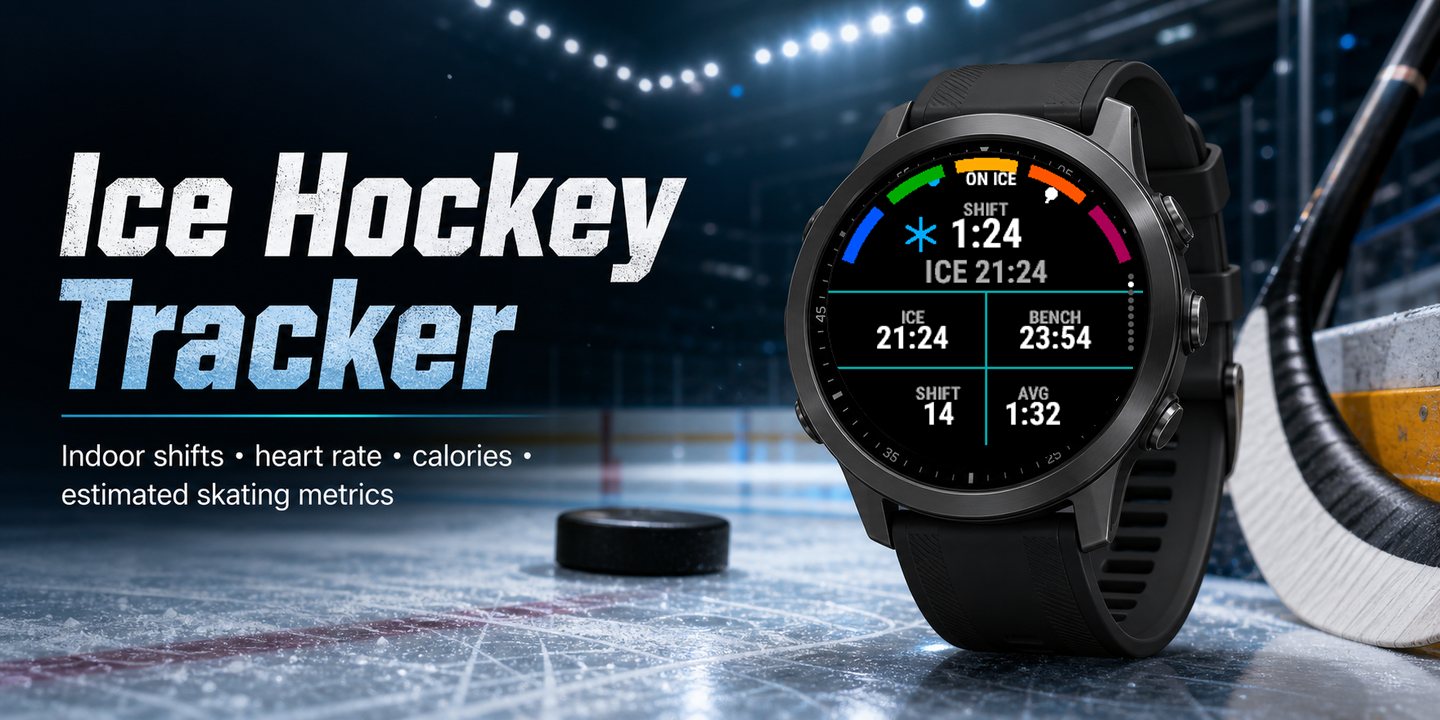
Ice Hockey Tracker – ice hockey on your Garmin watch
Shifts, bench time and shots on indoor ice – recorded automatically, and saved to Garmin Connect as Ice Hockey.
Indoors there is no GPS, so a generic activity gives you a duration and a heart rate curve and little else. Ice Hockey Tracker reads the accelerometer instead: it sees you step on the ice, times the shift, and stops the clock when you sit down on the bench. Nothing to press during the game – it is built for hands in hockey gloves.
- more than 50 watches
- 11 languages
- no GPS needed indoors
- free
In Garmin Connect
- The session is saved as Ice Hockey, not as skating or "other" – also on fēnix 6, Enduro and tactix Delta, which have no hockey activity of their own.
- A lap for every shift and every spell on the bench, so the game is broken down shift by shift: how long each one lasted and what your heart rate did.
- Ice time, bench time, ice ratio, shots, distance, speed, workload and calories are written into the activity. Up to seven more values of your choice can be added in the app settings.
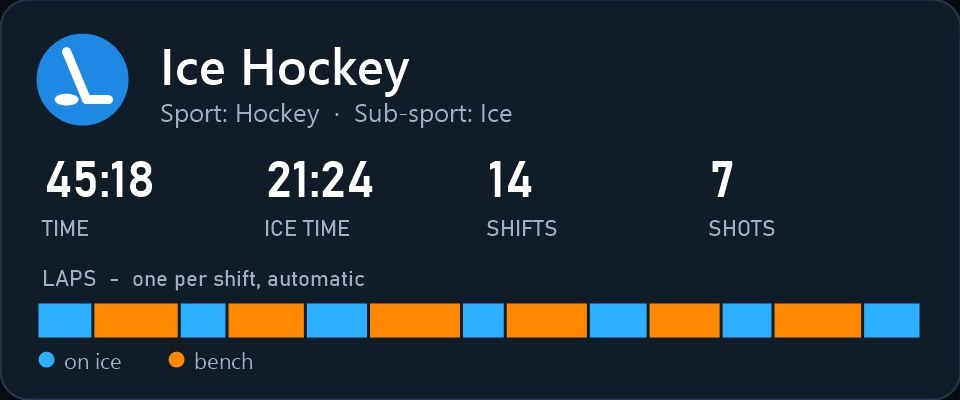
Illustration.
On the ice
- Live shift timer, current and last shift, shift count and average shift length
- Ice time against bench time
- Heart rate: current, average and max, and how far it drops in the first minute on the bench
- Shot count and a shot power index
- Estimated distance, current and top speed, stops and turns
- Calories and a workload score
- Time in the defensive, neutral and offensive zone, and a heat map of the rink
Between games
- Progress page: each new session compared against your own history
- Session timeline and heart rate trend
- Summary pages at the end of the activity, then save or discard as in a Garmin activity
Make it fit your game
- Training, pickup and match modes
- Player profiles REC, AM and PRO for how hard you skate
- Shot sensitivity: Low, Normal or High, if the app counts too many shots or misses yours
- Rink length
- GPS on or off. Indoors the app does not need it; outdoors it uses GPS for speed, distance and the heat map.
Screens on the watch
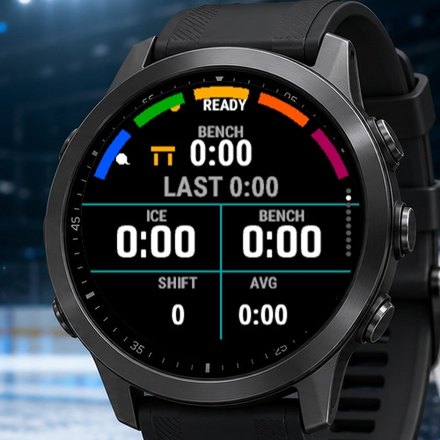
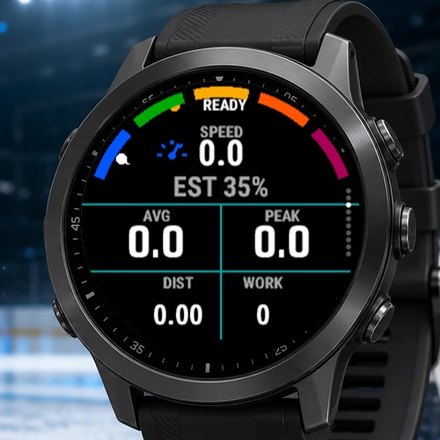
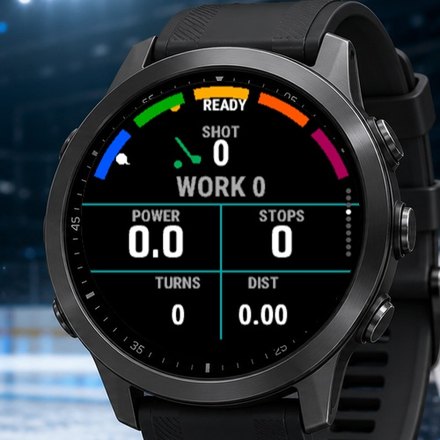
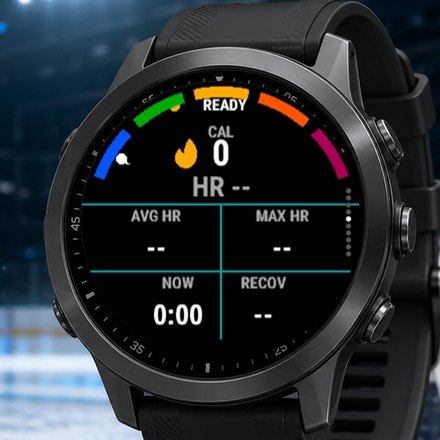
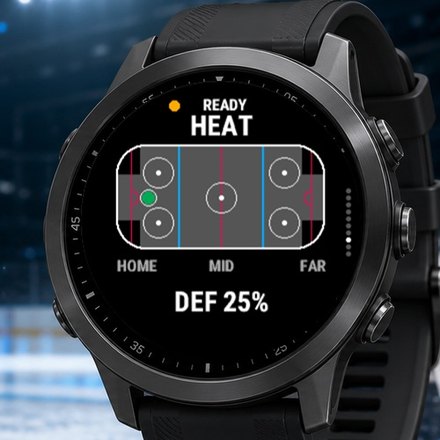
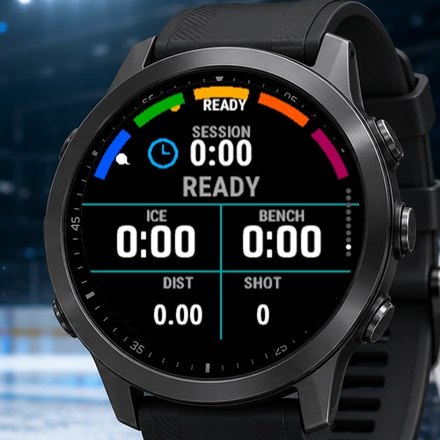
Screens shown before the recording starts, hence the zeros.
Watches and languages
More than 50 watches: fēnix 6, 7, 8 and 9, epix, Enduro, tactix, Forerunner 255 / 265 / 570 / 955 / 965 / 970, Venu 3 and 4, vívoactive 5 and 6, Approach S70 and S50.
English, Slovak, Czech, German, French, Polish, Finnish, Swedish, Danish, Norwegian and Latvian – the app follows the language of the watch.
How accurate is it
Time, heart rate, and ice and bench time are the reliable part. Shots, distance, speed, rink zones and the heat map are estimates from wrist motion – useful for comparing your own games, not official statistics.
How to start
- Install the app from the Connect IQ Store – on your phone through Garmin Connect or Connect IQ.
- On the watch pick a mode – training, pickup or match – and a player profile: REC, AM or PRO.
- Start recording and play. Save it after the game and you will find it in Garmin Connect.
Coming up: your watch and your SZALH player profile
During the 2026/27 season we want to connect the watch with the player profile on the league website, so that you can see your game data next to your profile.
It will only work with your consent: the data stays private until you decide otherwise, and you will be able to delete it at any time.
Found something that does not match your game? Write a review or get in touch – two fixes in the latest versions came straight from player reviews: info@szalh.sk
Garmin, fēnix and Connect IQ are trademarks of Garmin Ltd. or its subsidiaries.